Art Library
Gantt Planet has a collectible art codex — hit your habits, earn an illustration. Feeding that system needs more artwork than one person can draw. This page is that artwork, and how it came to exist.
One object, five styles#
This is the single most informative image in the collection. Read across for eight different objects; read down for the same object in five styles:
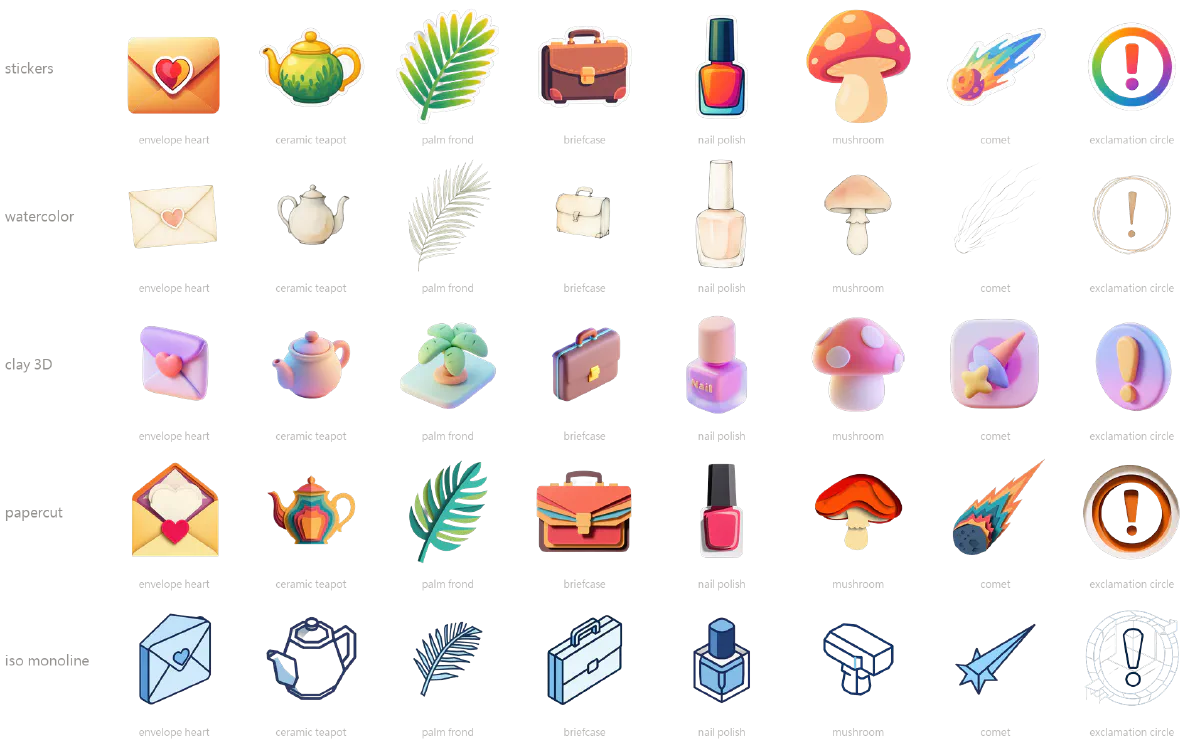
The design follows from one observation: the list and the style are independent of each other. Coming up with objects (envelope, teapot, palm frond…) costs imagination. Nailing a style costs prompt engineering. Separate them, and adding a sixth style stops being “think of 500 more things” and becomes “tune a prefix, hit go, come back tomorrow.”
Scale#
| Item | Count | Notes |
|---|---|---|
| Object list | 500 | Across 17 thematic categories |
| Styles | 5 | Sticker, watercolor, clay 3D, papercut, isometric monoline |
| Main assets | 2,500 | 500 × 5, all 1024×1024 transparent PNG |
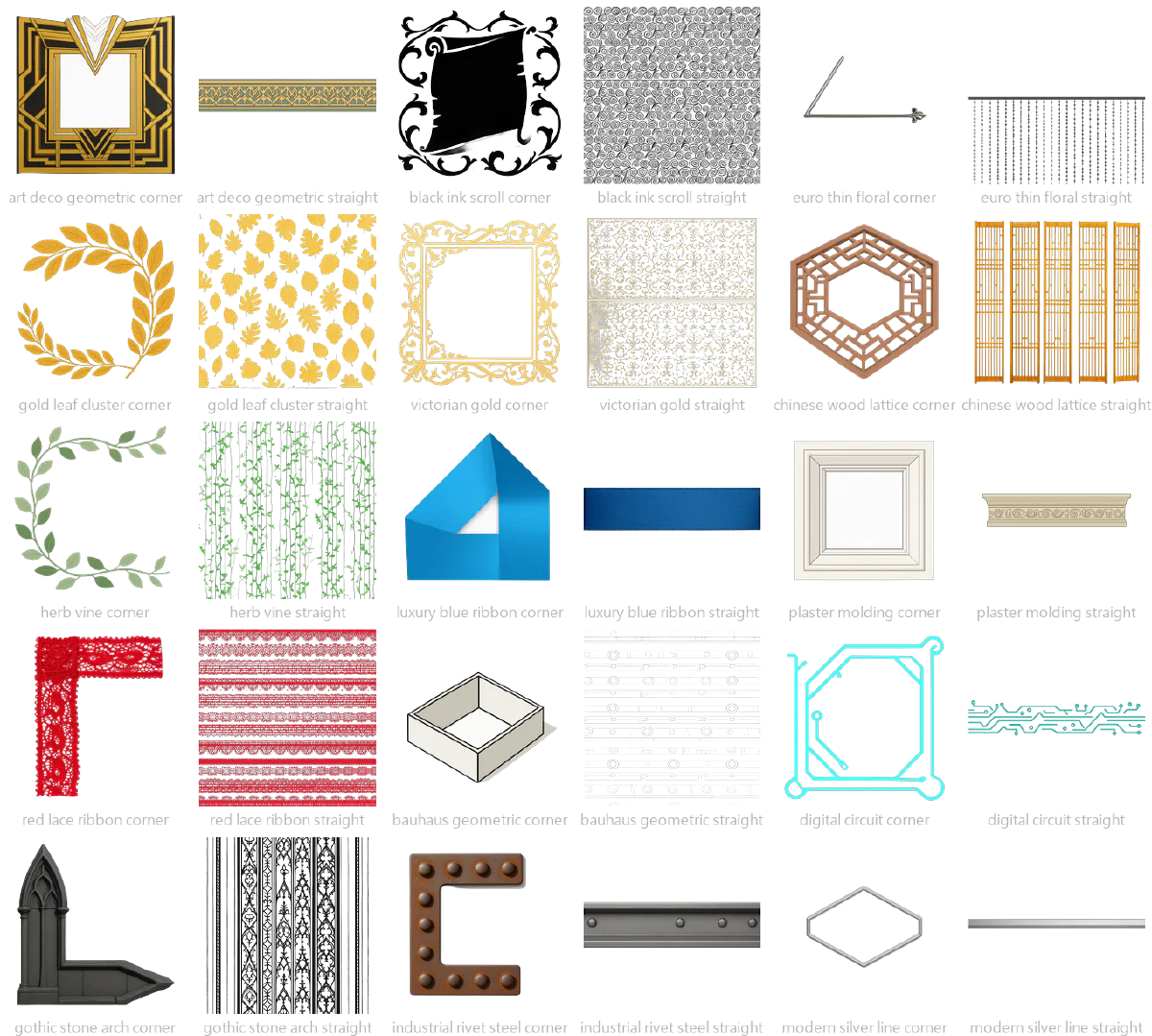
| Border sets | 30 | Corner + straight edge in pairs, tile to any size |
| UI indicators | 15 | Small state glyphs |
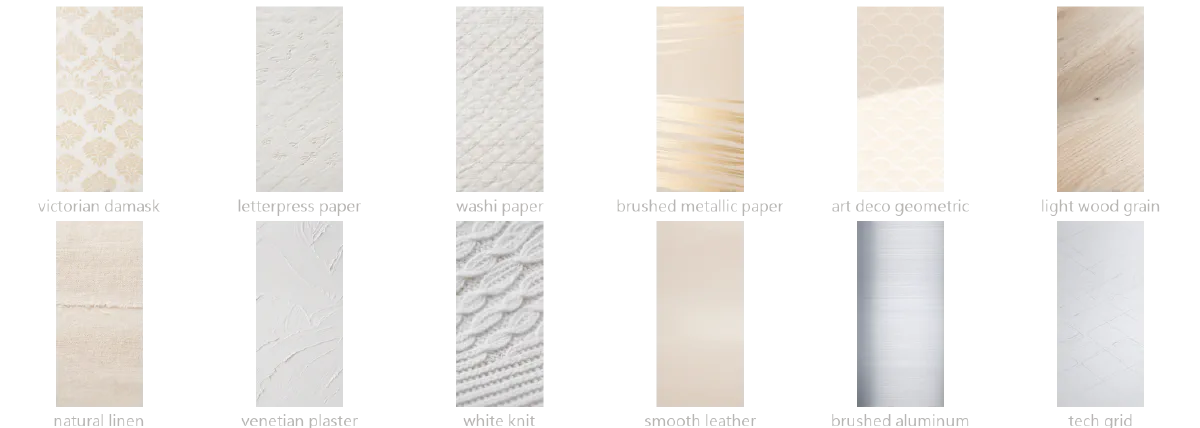
| Textures / wallpapers | 33 | Opaque, full-bleed |
| Total | 2,578 | Two further re-renders with different models exist, ~2,500 each |
What the 17 categories look like#
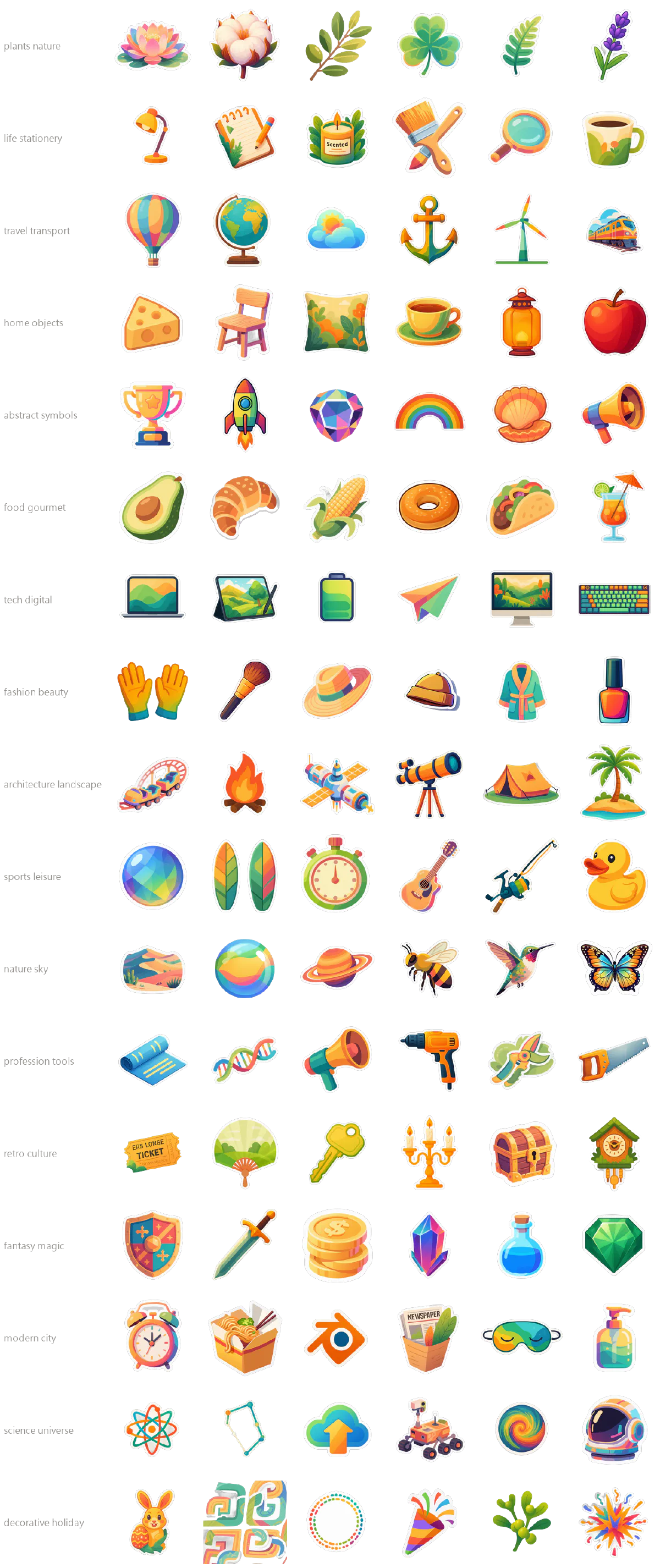
Borders: generated in pairs so they tile#
Textures#
Some of the method#
The skeleton is: a Python config describing what to generate → a batch script rewriting workflow nodes → a local ComfyUI instance → poll for results → remove background → write files → emit a report JSON. The whole thing runs on my own hardware. No cloud API bill.
Generation was never the hard part. These four were:
1. Failures must be re-runnable in isolation. A 500-piece run takes hours, and something always breaks — a black frame, a cutout that eats the subject, a dropped connection. So every script has --resume: files that already exist are skipped. It looks like a trivial flag. It’s the line between a pipeline you use and one you abandon. Without it, failing on piece 470 costs you the will to continue.
2. Seeds must be reproducible. The random seed per image isn’t random — it’s the CRC32 of the item’s name. The same name always draws the same seed, so “re-run palm_frond” and “the original palm_frond” agree. That turns patching a single asset into a safe operation rather than a gamble.
3. Every PNG remembers how it was made. The full generation workflow is written into the PNG’s metadata. Two months later, staring at an image you can’t place, you read the prompt and parameters back out of the file itself instead of digging through logs.
4. Cutout quality is the ceiling on the whole line. Generative models are eager to cooperate; background removal models are not. Transparency is decided in post, and three cases break generic cutout models: dark object edges, semi-transparent material (glass, smoke, water), and objects that are themselves white. That last one is exactly why the textures had to move to their own line.
What’s not here#
- The prompt prefixes for each of the five styles, and the negative prompts — the most time-consuming part to tune
- How the 500-item list across 17 categories was generated without concept collisions
- Cutout threshold parameters, and the recovery path for dark or semi-transparent objects
- Which prompts had to be rewritten wholesale when re-running the same list on two other models
Got a batch of “the same thing several hundred times, only the content differs”? That’s the same shape as this line. The commissions page has more examples of that shape.